
Chillicothe Gazette
USA TODAY Co.News & Magazines
3.826.00 Reviews
- Version
- 8.10.3
- Installs
- 10.00K
- Age Rating
- Everyone 10+
Screenshots
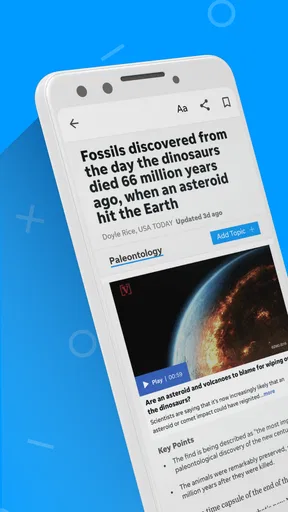
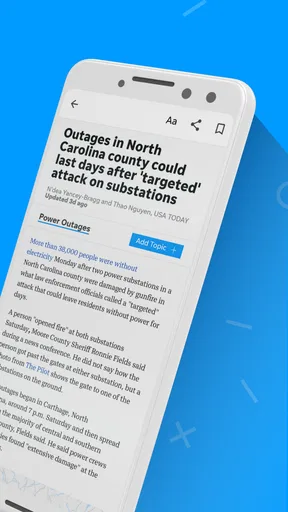
Our Review of Chillicothe Gazette
 Analysis by Appyee
I approached Chillicothe Gazette as a local-news reader rather than as someone looking for a broad national news replacement. That distinction matters. This free News & Magazines app from USA TODAY Co. is built around the Chillicothe Gazette name, while its presentation also reaches toward national reporting, photography, and video. In everyday use, I found its value depends less on how many stories it carries and more on whether Chillicothe-area coverage is part of your normal routine.
The app is aimed at readers aged 10 and over, so its tone fits a general audience rather than a specialist publication. It has been available since Aug 2, 2012, and the current release is version 8.10.3 for devices running Android 8.0 or later. That long presence gives it the feel of an established newspaper companion, although the actual experience still depends on your phone, connection, and how heavily you use the visual content.
How Chillicothe Gazette feels during normal reading
I find that the app’s everyday appeal rests on a simple choice: begin with local headlines, then decide whether a story deserves a longer visit. That makes it easier to fit news into a busy day without treating every update as a full reading session. The next section looks at how I’d judge the app’s pace and what to expect when a quick check turns into deeper reading.
Speed expectations when opening the news
My first expectation with a newspaper app is simple: I want to reach the latest headlines without turning the process into another task. Chillicothe Gazette is best understood as a focused reading tool, not an elaborate portal that needs a lot of setup before it becomes useful. The local identity is immediately important because it tells me what kind of reading session the app is designed to support: checking what is happening around Chillicothe, then moving into wider coverage when I have more time.
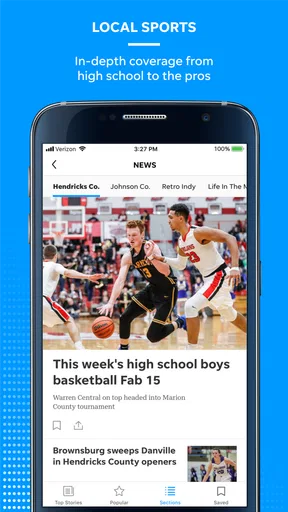
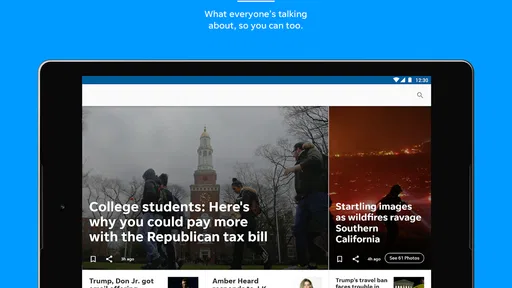
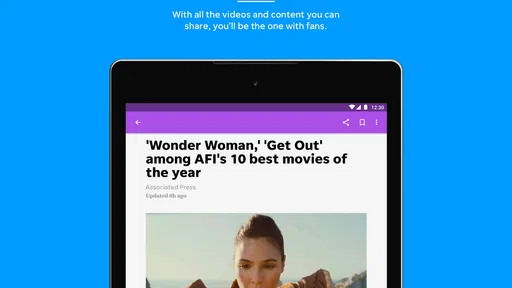
Text-led browsing should generally feel lighter than opening a page dominated by large photographs or video. The app’s store summary specifically emphasizes spectacular photography and rich video, so I would not judge every screen by the same speed expectation. A headline list and a visual story serve different purposes. If I am checking the news quickly before leaving home, I care about finding the relevant story first. If I am sitting down to explore a feature, I am more willing to wait for a richer presentation.
That difference leads to a useful habit: start with the headline flow, then open media-heavy stories selectively. It keeps a short reading session from becoming a long loading session. I also prefer reading one complete article before opening several visual items at once. That approach makes the app feel more controlled, especially on a modest phone or an inconsistent mobile connection.
The app is free to install, which makes trying it low-risk. However, in-app purchases range from $9.99 to $69.99 per item, so I would pay attention to any subscription or purchase prompt before confirming it. The free entry point is convenient, but it should not be confused with every part of the newspaper experience necessarily being included without cost.
What happens during a heavier reading session
The more demanding moments are likely to come when I move beyond short articles and spend time with photography and video. Rich media can make a local story more engaging, particularly when the subject depends on places, people, or events that are difficult to understand from text alone. It can also consume more attention and device resources than a simple headline scan. For that reason, I would use the app differently at lunch than I would during a quiet evening.
A practical scenario is checking the app during a busy morning. I might open it to see whether anything important has changed locally, read one or two articles, and close it. In that situation, the app’s strongest role is keeping a local publication close at hand. Later, with more time and a reliable connection, I could return for the photographic or video-led stories. This two-stage workflow is more sensible than expecting every visit to be a full digital newspaper edition.
Another realistic use is following a developing local subject over several visits. Instead of opening every related item immediately, I would read the newest relevant report, note whether it answers my question, and then use the broader coverage for context. Local news often matters because of continuity rather than spectacle. A focused app can be useful here, but only if I treat it as a publication to revisit rather than a single-session search engine.
When a device is already busy with other apps, video playback and image-heavy pages are the areas I would approach cautiously. I would close unused apps, lower my expectations on an older handset, and avoid judging the entire product by one slow media item. The important trade-off is clear: the visual material adds depth, but it is also more demanding than plain text.
Stability and recovering from interruptions
News reading is often interrupted. A call arrives, the screen locks, the connection changes, or I switch briefly to another app. A useful newspaper companion should let me return without making me reconstruct the whole session. My preferred recovery method is to reopen the app, locate the same story through the current news flow, and continue from there rather than keeping many articles open at once.
I would also avoid assuming that an article opened once will always behave the same way later. News content changes, and media can be more sensitive to connection quality than text. If a page does not load cleanly, I would retry on a stronger connection before concluding that the application itself is unstable. This is especially relevant for video, where a brief network interruption can be more noticeable than it is in a written article.
The app’s rating is 3.8 from around 82 ratings, with 26 written reviews. I read that as a mixed but usable signal: enough feedback to show that the app works well for some readers, while also suggesting that the experience is not universally smooth. I would not install it expecting flawless performance on every device. I would install it because the local publication is relevant to me, then give it a fair trial through both quick headline checks and longer article sessions.
Recovery also depends on how I organize my own use. If I am interrupted while watching a video, I would reopen that story only after confirming that the connection is stable. If I am interrupted while reading text, I would return through the latest list instead of repeatedly pressing back through several screens. These are small habits, but they reduce friction and make the app feel more dependable in ordinary life.
Device limits and the Android requirement
Chillicothe Gazette supports Android 8.0 and later, which covers a broad range of phones but excludes older devices. Anyone using an aging handset should check the operating-system requirement before planning around it. On a newer phone, the main practical question is not simply whether the app installs; it is whether the device handles image and video content comfortably alongside the rest of the day’s apps.
Storage and battery expectations are also worth considering without exaggerating them. A text article is usually a lighter activity than extended video viewing, while repeated image loading can make a session feel more demanding. I would use Wi-Fi for longer media sessions when possible, particularly if my mobile allowance is limited. For quick local updates, I would keep the visit short and avoid opening every visual story in sequence.
This is not the ideal choice for someone who wants the lightest possible news reader. A browser-based newspaper page may be preferable if I do not want another installed app, while a general news aggregator may suit someone who values many publishers in one feed. The Gazette app makes more sense when the identity of the publication is the reason for installing it.
It is also worth separating screen size from raw device age. A larger display can make photography and video more enjoyable, but it may encourage longer sessions and therefore greater battery use. A compact phone can be perfectly adequate for headlines and articles, yet less comfortable for visual features. My choice would depend on whether I mainly want local updates or a fuller multimedia reading experience.
Where it fits among everyday news alternatives
Compared with a general national-news app, Chillicothe Gazette has a narrower purpose. A national service is usually better when I want a wide range of international subjects, multiple viewpoints, or a single place for several major publications. The Gazette is more appealing when local relevance is the deciding factor and I want the newspaper’s own presentation rather than an algorithmically mixed feed.
Compared with reading through a mobile browser, the dedicated app offers a more direct route into the publication. I do not have to begin with a search or navigate through a full website each time. The trade-off is that an installed app takes space and may include purchase prompts that I would not encounter in exactly the same way during casual web browsing.
Compared with social media, the app is a calmer starting point for news. Social feeds are useful for discovering what people are discussing, but they can mix commentary, repetition, and unrelated material. A newspaper app gives me a clearer editorial destination. I still would not treat one publication as my only source for major issues; for broader context, I would compare important stories with another reputable outlet.
Compared with a lightweight text-only reader, this app’s photography and video are a genuine differentiator. They can make local reporting feel more immediate, but they also create the biggest performance and data trade-offs. Readers with limited storage, a weak connection, or a strong preference for minimal interfaces may be happier with a simpler alternative.
Who will benefit most from the app
I would recommend it first to people who have a personal connection to Chillicothe or who regularly follow the area’s news. It can also suit readers who enjoy moving from local reporting into national stories without leaving the same publication environment. The combination of written reporting, photography, and video gives the app more range than a bare headline list.
It is less suitable for someone searching only for breaking national headlines, financial-market coverage, or a highly customizable multi-source dashboard. Those readers may find a broad news aggregator more efficient. I would also hesitate to recommend it to anyone who dislikes in-app purchase options on principle, since paid items are part of the app’s model even though the download itself is free.
Families should note the Everyone 10+ content rating. That makes it broadly approachable, but it is still a news publication, so the subject matter can vary with current events. I would use ordinary parental judgment rather than assuming the age label means every article will suit every younger reader.
Small workflow choices that improve the experience
My first tip is to divide visits into two types: a fast local check and a longer feature session. The fast check keeps the app useful when time is limited, while the longer session gives the photography and video room to justify their extra demands. Trying to consume everything every time makes the app feel heavier than it needs to be.
My second tip is to treat media as an intentional choice rather than background content. If I am on mobile data, I would begin with text and open video only when the story benefits from it. If I am on Wi-Fi, I can explore more freely. This is a simple way to preserve data and battery without giving up the app’s richer material.
My third tip is to use the app as a local anchor, not as a complete news universe. I would check it for Chillicothe-focused reporting, then use a separate national source when I need a wider comparison. That division of labor avoids asking this app to compete in an area where its local identity is not the main advantage.
My fourth tip is to evaluate it across several kinds of sessions before deciding whether it belongs on the phone permanently. A quick headline visit tests convenience, a longer article tests readability, and a visual story tests how comfortably the device handles richer content. One frustrating load on a weak connection is not enough evidence; repeated friction across all three situations is.
My performance verdict
Chillicothe Gazette is a sensible free download for readers who genuinely want Chillicothe news in a dedicated app. I like its clear local purpose and the fact that it combines ordinary reading with photography and video instead of treating every story as a plain block of text. Its best performance experience comes from matching the session to the device and connection: text for quick checks, richer media when I have time and reliable bandwidth.
I would not choose it as my only news source, and I would not recommend it blindly to someone with an older Android phone or very limited data. The 10K+ install level and 3.8 average suggest a modest, established audience rather than a universally polished experience. That feels consistent with my overall impression: useful when the publication matters to you, less compelling when you simply want the fastest possible route to every major headline.
For me, the deciding question is not whether it replaces every alternative. It does not. The better question is whether having the Gazette’s local coverage close by is worth installing a dedicated app and managing its richer content. If the answer is yes, I would try it, keep media use deliberate, and compare major stories elsewhere when broader context matters. Its strongest advantage is relevance, while its main trade-off is the extra weight that comes with a more visual news experience.
Verdict
Strengths of Chillicothe Gazette
- Clear coverage of Chillicothe and surrounding Ross County communities
- Local reporting helps readers stay informed about nearby events
- Useful updates on local government, schools, and public safety
- Mobile access makes articles convenient to read while traveling
- Opinion, lifestyle, and sports sections offer varied local content
Limitations of Chillicothe Gazette
- Some articles may require a subscription or have limited free access
- Advertising can make the reading experience feel cluttered
- Coverage is primarily regional, with less depth on national stories
- App performance and features may depend on internet connectivity
- Breaking-news notifications could become distracting for some users
Other Releases by USA TODAY Co.
View All
IndyStar: Indianapolis Star
News & Magazines2.7

AZ Central: Arizona Republic
News & Magazines2.5

The Detroit News: Local News
News & Magazines3.1

Detroit Free Press: Freep
News & Magazines3.0
Similar Picks in This Category
View All
Google News - Daily Headlines
Google LLC4.0

X
X Corp.4.8

Flipboard:Your Social Magazine
Flipboard3.4

Opera News: breaking & local
Opera4.5

Hindi News by Dainik Bhaskar
Dainik Bhaskar Group4.0

Way2News Daily News App
Way2News ( Formerly Way2SMS )4.6
Frequently Asked Questions
What is the Chillicothe Gazette app?
The Chillicothe Gazette app is a digital news platform focused on Chillicothe, Ross County, and surrounding communities in Ohio. It typically provides local reporting, breaking news, sports coverage, weather updates, community stories, opinion content, and other regional information. It is designed for readers who want convenient access to the newspaper’s coverage from an Android or iOS device.
Is the Chillicothe Gazette app free to download and use?
The app may be free to download, but access to all articles and premium features can depend on the publication’s subscription policy. Some stories may be available without payment, while other content may require a digital subscription or account. Before downloading, users should review the current pricing, trial terms, renewal conditions, and available subscription options shown in the app or official store listing.
What type of news and content can I read in the app?
Chillicothe Gazette generally covers local news, public safety, schools, government, business, community events, entertainment, and regional sports. Depending on the current version of the app, readers may also find national headlines, personalized news feeds, photo galleries, videos, weather information, and opinion articles. The strongest focus is on stories relevant to Chillicothe and nearby Ohio communities.
Does the Chillicothe Gazette app send notifications?
The app may offer push notifications for breaking news, important local developments, sports results, weather alerts, or other selected topics. Notifications are usually optional, so you can allow or deny them during setup and later adjust them through the app or your device settings. Users who prefer fewer interruptions should review notification categories carefully after installation.
What should I check before downloading the Chillicothe Gazette app?
Before downloading, check whether your Android or iOS version is supported, how much storage the app requires, and whether an internet connection is needed for regular reading. It is also important to review privacy permissions, subscription costs, account requirements, and recent user feedback. If you mainly want occasional local headlines, confirm which articles are freely accessible before committing to a subscription.
